Linksys (Cisco) Router EA 9500
80.-
26.09.2026


6314, Unterägeri
Automatisch übersetzt
8-Port 1Gbit Switch, 1 Gbit Ethernet Internetverbindung
SEHR STABIL – ich musste ihn in seiner gesamten Laufzeit kein einziges Mal neu starten
Mit sehr schnellem und leistungsstarkem WLAN kann er große Wohnungen und kleine Büros abdecken
Zudem können über die 8-Port-Gigabit-Verbindung Server und die kabelgebundene Infrastruktur eines kleinen Büros angeschlossen werden
Der Linksys EA9500 Max-Stream AC5400 MU-MIMO Gigabit Router dreht sich alles um das Thema „groß“. Er ist für große Haushalte konzipiert und physisch massiv. Angetrieben von einer Dual-Core-CPU und ausgestattet mit acht externen Antennen, bietet dieser gewaltige Tri-Band-Router Multi-User Multiple-Input Multiple-Output (MU-MIMO) Streaming, acht Gigabit-LAN-Ports und zahlreiche Management-Einstellungen – ein sehr solider Performer.
Design und Funktionen
Er gehört zu den größten Routern, die wir je gesehen haben. Das schwarze Gehäuse beherbergt acht verstellbare, nicht abnehmbare Antennen (drei auf jeder Seite und zwei auf der Rückseite) und verfügt über ein Statuspanel mit acht LED-Leisten, die blinken, wenn der Router hochfährt oder ein Firmware-Upgrade stattfindet, und dauerhaft leuchten, wenn der Router betriebsbereit ist. Auf der Rückseite befindet sich eine Fülle von E/A-Anschlüssen, darunter acht Gigabit-LAN-Ports, ein WAN-Port, ein USB 3.0-Port und ein USB 2.0-Port. Ergänzt werden diese durch eine Reset-Taste und eine Power-Taste. Auf der rechten Seite des Routers befinden sich eine WPS-Taste und eine Wi-Fi-Taste (aktivieren/deaktivieren).
Unter der Haube arbeitet ein 1,4-GHz-Dual-Core-Prozessor und eine 802.11ac-Schaltung mit drei unabhängigen WLAN-Bändern (ein 2,4-GHz-Band und zwei 5-GHz-Bänder). Das 2,4-GHz-Band kann (theoretische) Maximalgeschwindigkeiten von bis zu 1.000 Mbit/s erreichen, und jedes 5-GHz-Band kann bis zu 2.166 Mbit/s erreichen. Der EA9500 unterstützt MU-MIMO-Datenstreaming, das Daten gleichzeitig statt nacheinander an MU-MIMO-kompatible Clients überträgt, sowie Beamforming, welches Datensignale direkt an die Clients sendet, statt sie über ein breites Spektrum zu senden. Er unterstützt zudem die Seamless Roaming-Technologie, wenn er mit einem Linksys Max-Stream Range Extender gekoppelt wird. Mit Seamless Roaming arbeiten der Router und der Extender zusammen, um Sie beim Wechsel von Raum zu Raum automatisch mit dem stärksten Signal zu verbinden.
Der EA9500 nutzt dieselbe webbasierte Smart Wi-Fi-Managementoberfläche wie der Linksys EA7500 Max-Stream AC1900 MU-MIMO Gigabit Router. Er kann auch über die Smart Wi-Fi mobile App verwaltet werden. Die Hauptseite enthält auf der linken Seite Smart Wi-Fi Tools und Router-Einstellungen sowie acht Widgets auf der rechten Seite, über die Sie auf Einstellungen für Wireless, Gastzugang, externen Speicher, Medienpriorisierung und Kindersicherung zugreifen können. Es gibt außerdem eine Netzwerkkarte, die alle verbundenen Geräte anzeigt.
Linksys EA9500 Max-Stream AC5400 MU-MIMO Gigabit Router
Auf der Seite für den Gastzugang können Sie das Gastnetzwerk aktivieren und Passwörter für beide Bänder erstellen; auf der Seite für die Kindersicherung können Sie den Internetzugang blockieren und Zugangszeitpläne für ausgewählte Clients erstellen. In den WLAN-Einstellungen können Sie Netzwerknamen und Passwörter für jedes Band festlegen, einen Sicherheitsmodus (WPA2 Personal, WPA2 Enterprise oder WPA2/WPA gemischt) zuweisen und einen Netzwerkmodus auswählen. Die Seite für die Medienpriorisierung bietet Drag-and-Drop-QoS-Einstellungen für Anwendungen und Spiele, und die Sicherheitseinstellungen bieten IPv4- und IPv6-Firewall-Schutz, Internetfilterung und VPN-Pass-Through-Funktionen.
Installation und Leistung
795336993
Der EA9500 hat in unseren Durchsatztests hervorragende Leistungen erbracht. Sein Wert von 98,9 Mbit/s in unserem 2,4-GHz-Nahbereichstest (im selben Raum)
Fazit
Der Linksys EA9500 Max-Stream AC5400 MU-MIMO Gigabit Router mag zwar etwas teurer sein, aber Sie erhalten viele Funktionen und eine solide Leistung für Ihr Geld. Seine acht Gigabit-LAN-Ports bieten reichlich Platz zum Anschließen mehrerer PCs, NAS-Laufwerke, Drucker und anderer kabelgebundener Netzwerkgeräte, und seine benutzerfreundliche Oberfläche bietet eine Vielzahl von Einstellungen, die Ihnen helfen, Ihr Netzwerk zu verwalten und zu optimieren.
- Preis CHF
- 80.-
- PLZ
- 6314
- Versand verfügbar
- Ja
- Zustand
- Gebraucht
Ähnliche Inserate
Linksys WRT 3200 ACM Router
99.-
Router WRT320 ACM + WRT004ANT High-Gain-Antennen-Kit
179.-
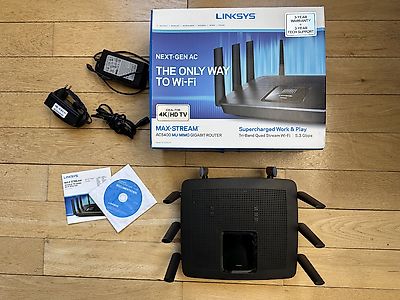
Linksys EA9500 Max-Stream, AC5400 MU-MIMO (WLAN- Router)
80.-
Linksys EA7500 AC1900 Dual-Band WLAN-Router
10.-
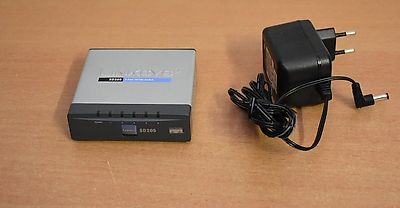
Switch Linksys Ethernet Gigabit Switch 5-Port
12.-
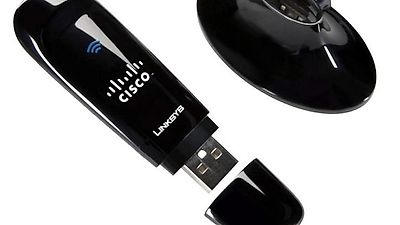
Cisco Linksys WUSB600N v2 Dual-N Band Wireless USB Adapter
14.-
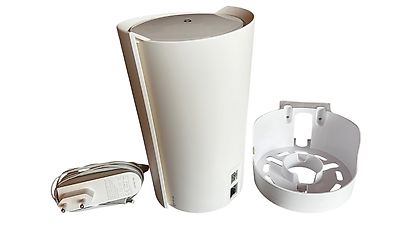
3 TP-Link Deco X90 AX6600 Mesh Router
240.-
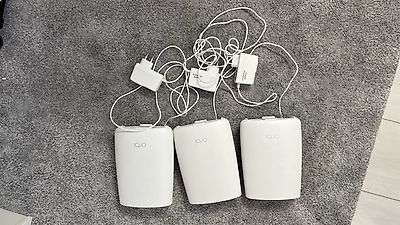
WLAN im ganzen Zuhause Netgear Orbi AC3000 Mesh-Set
99.-
Linksys LGS124 24-Port Gigabit Switch + Netzwerkkabel
10.-
Cisco C9300L 48 Ports 4G E / 48 PoE+ 4x1G - wie neu
1'099.-
Cisco WS-C2960S-24TS-L 4 x SFP
100.-
Rechtliche Hinweise
Deutsch


© SMG Swiss Marketplace Group AG 2026.


Die Vervielfältigung und Übernahme von Inseraten durch Dritte, insbesondere von Fotos und persönlichen Daten in diesen Inseraten, verletzt die damit verbundenen Rechte und ist ausdrücklich verboten.